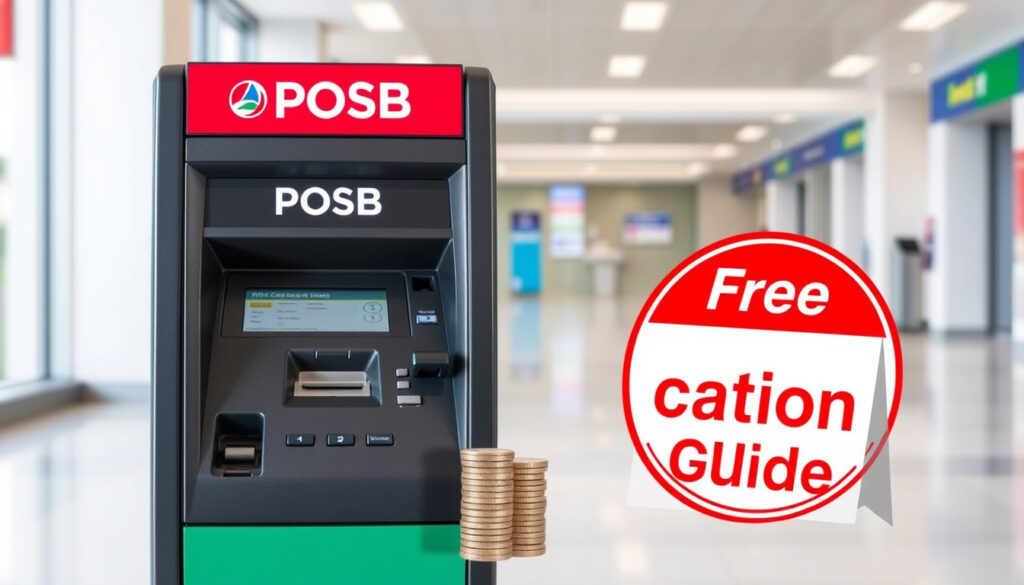
POSB Coin Deposit Machine Near Me: Free Locations Guide
If you’ve got a jar of coins sitting on your shelf, you already know the problem: banks don’t want them, and counting them by hand is a chore. POSB’s free coin deposit machines solve that — but only if you know where to find one and how they stack up against paid alternatives like Certis.
Number of POSB/DBS coin deposit machines in Singapore: 67 (as per DBS branch locator) ·
Fee for POSB account holders: Free (waived) ·
Available at: Selected POSB branches and DBS branches islandwide
Quick snapshot
- POSB coin deposit machines are free for account holders (POSB Singapore (official bank))
- 67 machines are listed in the DBS locator network (DBS Singapore (official bank))
- Exact maximum coin count per transaction is not published
- Whether all machines accept S$20 notes alongside coins varies by branch
- 2019: POSB introduces free coin deposit machines (POSB Singapore (official bank))
- 2024: Network expands to 67 machines (DBS Singapore (official bank))
- More machines expected as branch upgrades continue
- Mobile app locator integration will improve real-time status checks
Six key facts about POSB’s coin deposit machines reveal a clear pattern: the service is free at machines but carries fees at the counter, and knowing the difference saves you money.
| Fact | Details | Source |
|---|---|---|
| Number of CDMs | 67 (DBS locator) | DBS Singapore (official bank) |
| Deposit fee (machine) | Waived for POSB/DBS account holders | POSB Singapore (official bank) |
| Deposit fee (branch counter) | S$1.80 per 100 pieces or part thereof | POSB Singapore (official bank) |
| Example branch fee | 105 pieces cost S$3.60 | POSB Singapore (official bank) |
| Accepted coin denominations | 1¢, 5¢, 10¢, 20¢, 50¢, $1 (Floral and National Icon Series) | POSB Singapore (official bank) |
| Processing time | Immediate to same-day credit | POSB Singapore (official bank) |
| CDM availability | Islandwide at selected branches | POSB Singapore (official bank) |
| Branch deposit hours | Tuesdays and Thursdays, 8:30 am – 11:30 am only | POSB Singapore (official bank) |
The implication: using the machine is dramatically cheaper than the counter, especially if you have more than a few coins. The counter fee adds up fast — S$3.60 for 105 coins is no small cost when the machine is free.
Where to deposit coins in POSB?
POSB coin deposit machine locations in Singapore
- Use the DBS/POSB locator page (official bank directory) and filter by “Coin Deposit” to see all 67 machines.
- Machines are available at branches across Singapore, including major hubs like Clementi, Tampines, and Woodlands.
- Many machines are located in self-service banking areas accessible 24/7, though branch-based machines follow opening hours.
For a resident in Tampines, the nearest CDM is likely at the Tampines POSB branch — a 15-minute bus ride, machine available during branch hours. No fee, no sorting needed.
How to use the POSB branch locator for CDMs
- Go to DBS locator page (official bank directory) and check the “Coin Deposit” filter.
- The locator shows a map and list of results with addresses, opening hours, and service types.
- You can also search via the DBS mobile app under “Branch & ATM locator”.
Does POSB have a coin deposit machine?
Yes, POSB offers coin deposit machines (CDMs)
- POSB confirms that coin deposit machines are available islandwide for customers (POSB Singapore (official bank)).
- The machines accept all Singapore coin denominations and credit the amount directly into your POSB or DBS account.
Differences between POSB and DBS CDM access
- Both POSB and DBS customers can use any machine in the shared network.
- The locator at DBS locator page (official bank directory) lists 67 machines — these serve both brands.
- Third-party options like Certis coin deposit services charge a fee, typically S$3–5 per transaction.
Where can I deposit coins in Singapore for free?
Free coin deposit options: POSB and DBS
- POSB and DBS offer free coin deposits at their CDMs for account holders (POSB Singapore (official bank)).
- Fee is waived for all standard POSB and DBS accounts.
- Some other banks (e.g., OCBC, UOB) do not offer free coin deposit machines — they only accept coins at the counter with fees.
Paid alternatives: Certis and other services
- Certis coin deposit services charge a fee — typically a percentage of the value deposited.
- Other commercial coin-counting machines (e.g., at shopping malls) charge S$3–S$5 per transaction.
- For large quantities, the POSB machine saves you S$3–S$10 per visit compared to paid services.
How to find a coin deposit machine?
Using the DBS/POSB branch locator online
- The DBS locator page (official bank directory) has a filter for “Coin Deposit” — select it to see all 67 machines.
- Results include address, opening hours, and available services.
Using the DBS mobile app
- Open the DBS digibank app, tap “Find us” or the branch locator icon.
- Filter by “Coin Deposit Machine” to see nearby options.
- The app shows estimated distance and directions via maps.
Searching for ‘CDM’ near your location
- Type “CDM” in the locator search bar — it will return coin deposit machines.
- Some machines are in 24/7 self-service areas; others follow branch hours (typically 9 am – 5 pm).
- For the Clementi machine, Moovit (transit app user data) shows it is reachable via Downtown Line, first train at 05:39.
How can I cash in my coins for free?
Step-by-step: using a POSB coin deposit machine
- Go to a POSB or DBS branch with a Coin Deposit Machine. Use the DBS locator (official bank directory) to find the nearest one.
- Bring your coins in a bag or container. No special packaging needed.
- At the machine, select “Deposit Coins” on the screen.
- Insert your DBS or POSB ATM card (or use contactless card/wallet if supported).
- Pour your coins into the designated tray. The machine will count them.
- Confirm the amount on screen. The deposit is credited to your account instantly or by the same day.
- Collect your receipt (optional).
What to bring and what to expect
- You need a POSB or DBS account — the deposit goes directly into it.
- Coins can be mixed; the machine separates and counts them automatically.
- Accepted denominations: 1¢, 5¢, 10¢, 20¢, 50¢, and $1 coins from both the Floral Series and National Icon Series (POSB Singapore (official bank)).
- Foreign coins are not accepted.
Limits and processing time
- Exact maximum coin count per transaction is not published by POSB — bring a reasonable amount (e.g., up to S$100 in mixed coins).
- Processing: immediate to same-day credit (POSB Singapore (official bank)).
- After-hours deposits (at 24/7 self-service machines) may reflect on the next business day.
A Reddit user reported that some machines reject slightly bent coins — if the machine jams, call the service number on the machine. Most are resolved within 24 hours, but plan for a second visit.
Upsides
- Free for POSB/DBS account holders
- 67 machines islandwide
- Immediate to same-day credit
- Accepts all Singapore coin denominations
- No sorting needed — machine counts mixed coins
Downsides
- Requires a POSB or DBS account
- Exact max coin count per transaction not published
- Some machines are only available during branch hours
- Machines can jam — no immediate support at self-service areas
- Foreign coins not accepted
Confirmed facts vs what’s unclear
Confirmed facts
- POSB offers free coin deposit machines for account holders (POSB Singapore (official bank))
- 67 CDMs are in the DBS/POSB network (DBS Singapore (official bank))
- Branch counter deposits cost S$1.80 per 100 coins (POSB Singapore (official bank))
- Certis coin deposit services charge a fee
What’s unclear
- Exact maximum coin count per transaction
- Whether all machines accept S$20 notes or only coins
- Specific machine hours for unstaffed branches (varies by location)
The pattern: what’s confirmed covers pricing and availability — the core decision factors. What’s unclear are operational details that matter less for a first-time user and more for power depositors.
Related reading: Deposit Coins · ATM & Branch Services
For those who also need to withdraw cash, our guide to DBS POSB ATM locations covers the full network across Singapore.
Frequently asked questions
Can I use a POSB coin deposit machine without an account?
No. The machine requires a POSB or DBS account to credit the deposit. You cannot withdraw cash directly from the machine.
What coins does the machine accept?
All Singapore coin denominations: 1¢, 5¢, 10¢, 20¢, 50¢, and $1 coins from both the Floral Series and National Icon/Landmark Series (POSB Singapore (official bank)).
How long does the deposit take to reflect?
Typically immediate to same-day credit. After-hours deposits may reflect on the next business day (POSB Singapore (official bank)).
Is there a daily limit for coin deposits?
POSB does not publish a specific daily limit for CDMs. For large amounts (over S$500), consider splitting into multiple transactions or using the branch counter (with fees).
What happens if the machine jams?
Call the service number displayed on the machine. Most issues are resolved within 24 hours. The machine will not credit coins that jammed — check your account statement afterward.
Do I need to bring my own bags for coins?
No. You can bring coins loose in any container. The machine has a tray you pour them into. No special packaging required.
Are coin deposit machines available 24/7?
Some machines in self-service banking areas are available 24/7. Others located inside branches follow the branch’s operating hours. Check the locator for each machine’s hours.
For a Singapore resident carrying a jar of coins, the choice is clear: find the nearest POSB CDM via the locator, pour in the coins, and walk out with the amount credited to your account — all for free. The alternative — Certis or branch counter — costs S$3–S$5 per visit. For anyone with a POSB or DBS account, the CDM is the only sensible option, or you pay for the privilege of someone else counting your coins.
More related posts
 SIA Special Flight Rates: Discounts & Promo Codes
 F&N Foods Pte Ltd: Profile, Products & Careers
 Excel Drop Down List: Step-by-Step Guide with Examples
 Wolves vs Man United: H2H, Results, TV & Predictions
 Sammi Cheng Concert 2026: Kai Tak Dates & Tickets
 Euro to Singapore Dollar: Rate, Forecast & Pay in EUR or SGD
 N&N Nasi Padang Corner Sembawang: Menu, Prices & More
 10,000 THB to SGD: Live Rate Converter & Comparison